Six screens, in the order you will meet them.
Everything here is in the product today. The pictures are the product.
1 of 6
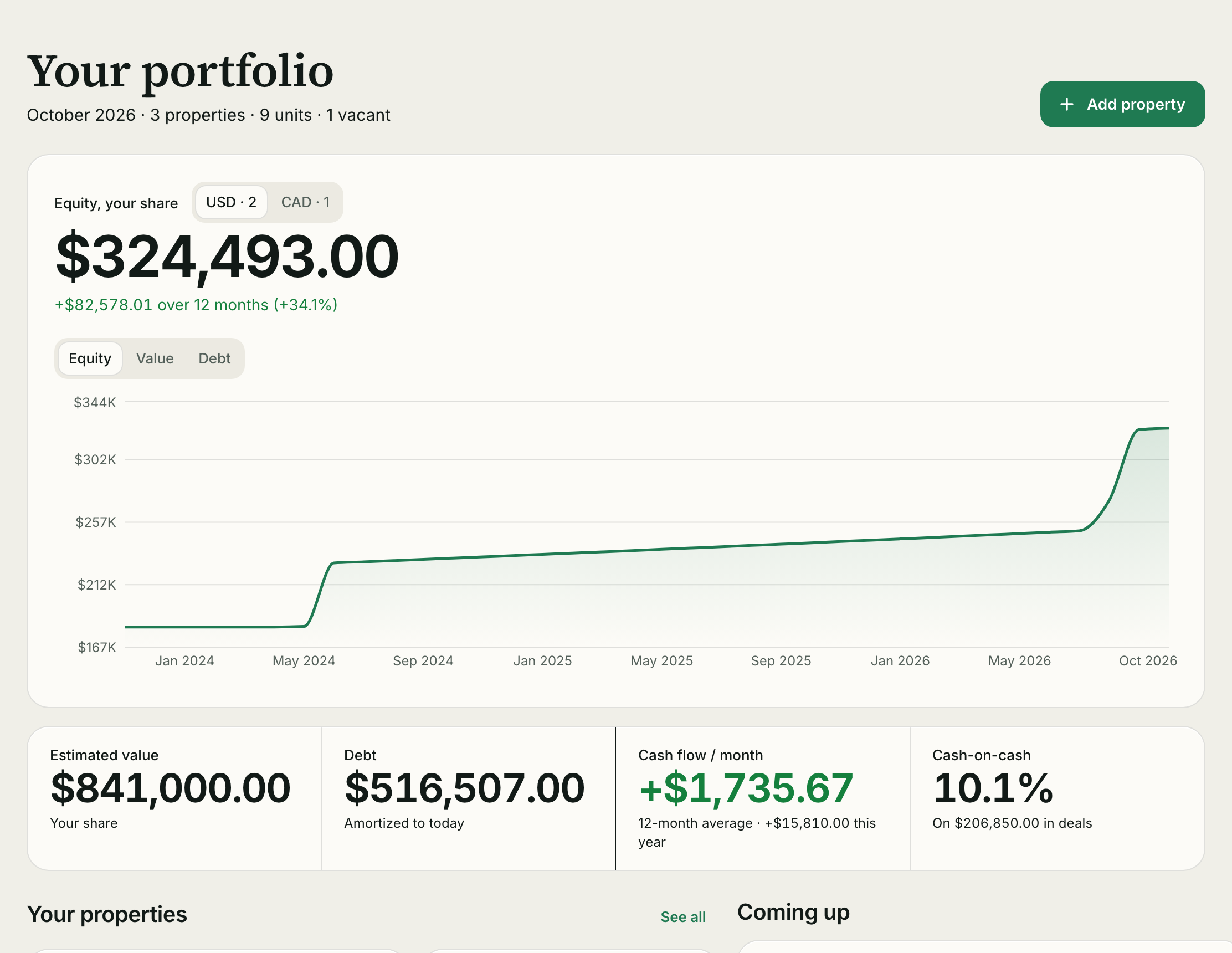
Your whole portfolio on one screen
Equity, cash flow, debt and value across every property, with a chart of how equity has moved. Totals per currency, your home currency first.
- Equity change over 12 months
- Average monthly cash flow and year to date
- Leases ending, vacant units and months still estimated, in one list
2 of 6
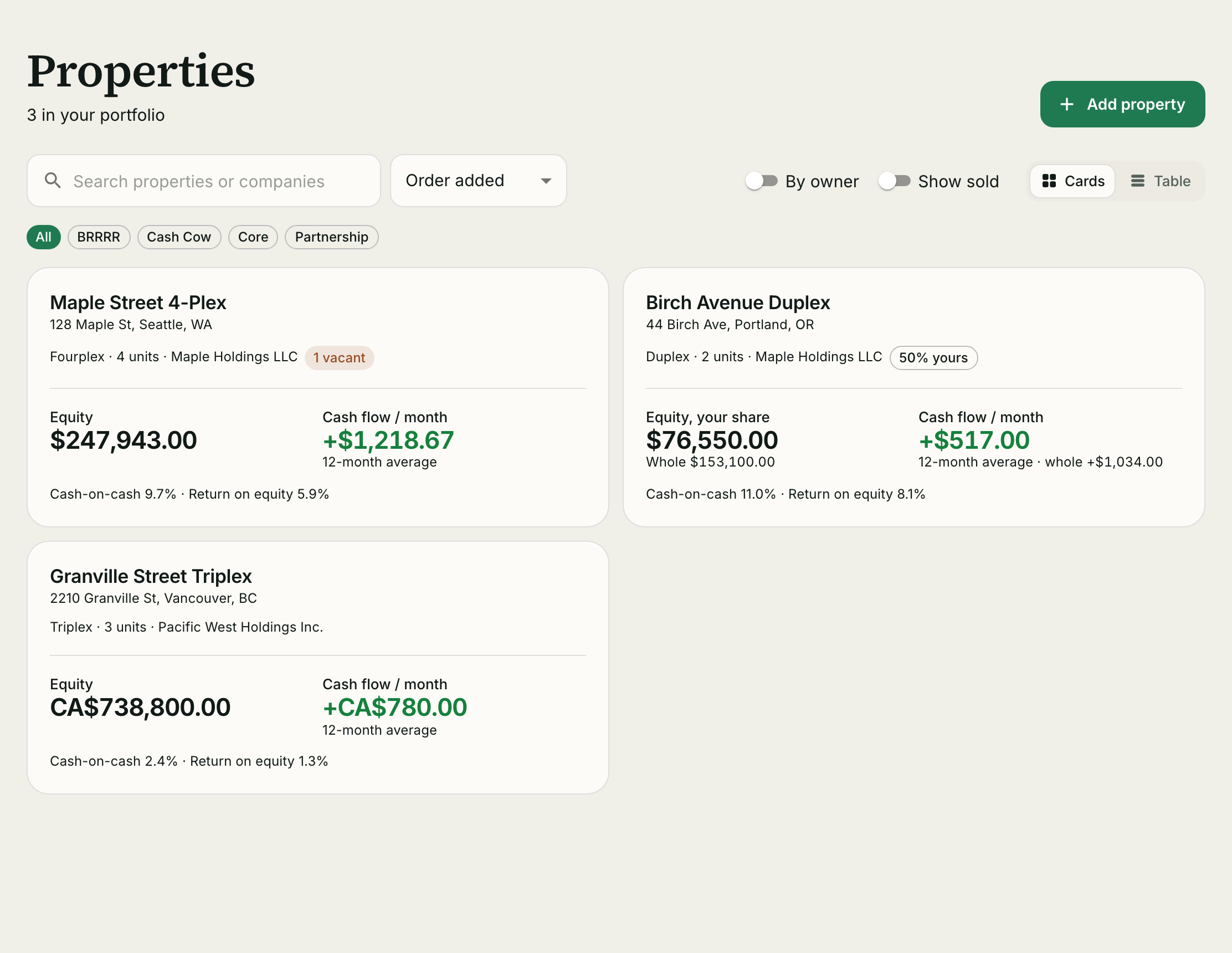
Every property side by side
Equity and cash flow for each one, as cards or a table. Filter by strategy tag or company, search by name or tenant.
- Cash-on-cash and return on equity per property
- Your share shown next to the whole for partnerships
- Sort by equity, cash flow or the order you added them
3 of 6
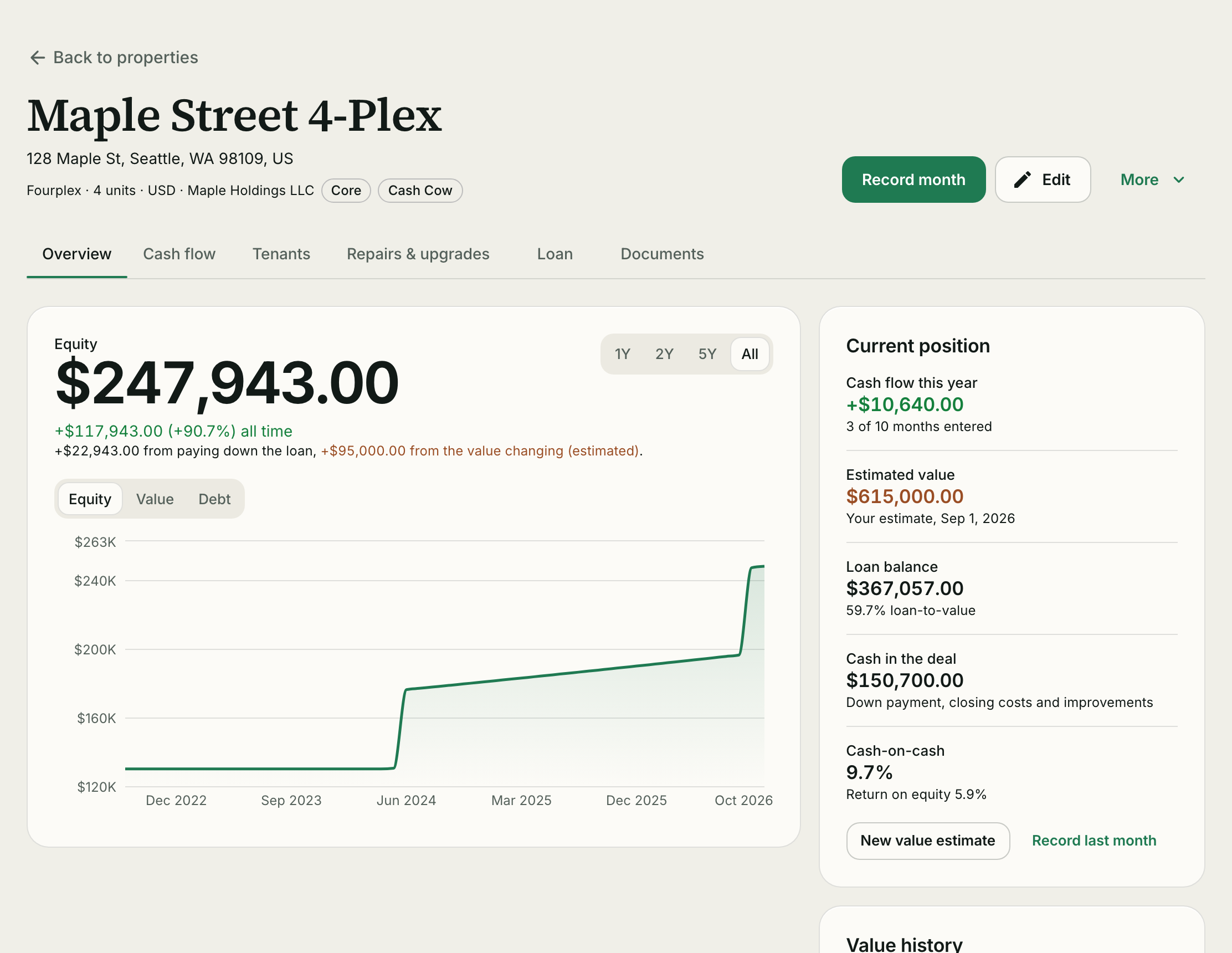
Everything about one property
Value, loan, tenants, repairs and documents, each on its own tab. The overview shows your equity and how much of it came from paying down the loan versus the value changing.
- Equity chart with value and debt toggles
- Current position: cash flow this year, estimated value, loan balance, cash in the deal
- Add a new value estimate any time; the history stays
4 of 6
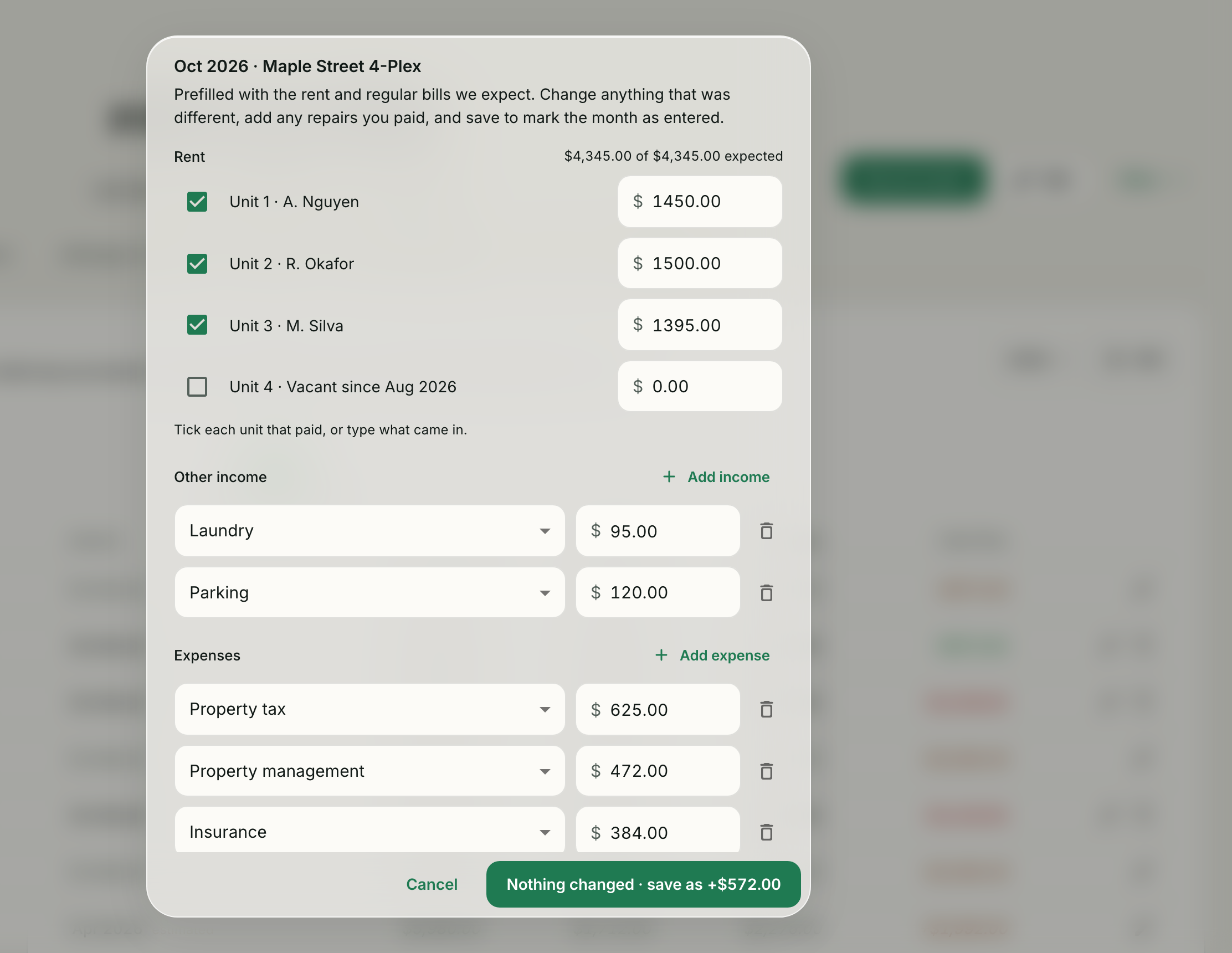
A month takes about a minute
Rent and regular bills are filled in. Tick who paid, change what was different, add any repairs you paid, and save.
- Expected rent per unit from the active lease
- Monthly and annual bills land in the right month
- Attach the bill to the line it belongs to
5 of 6
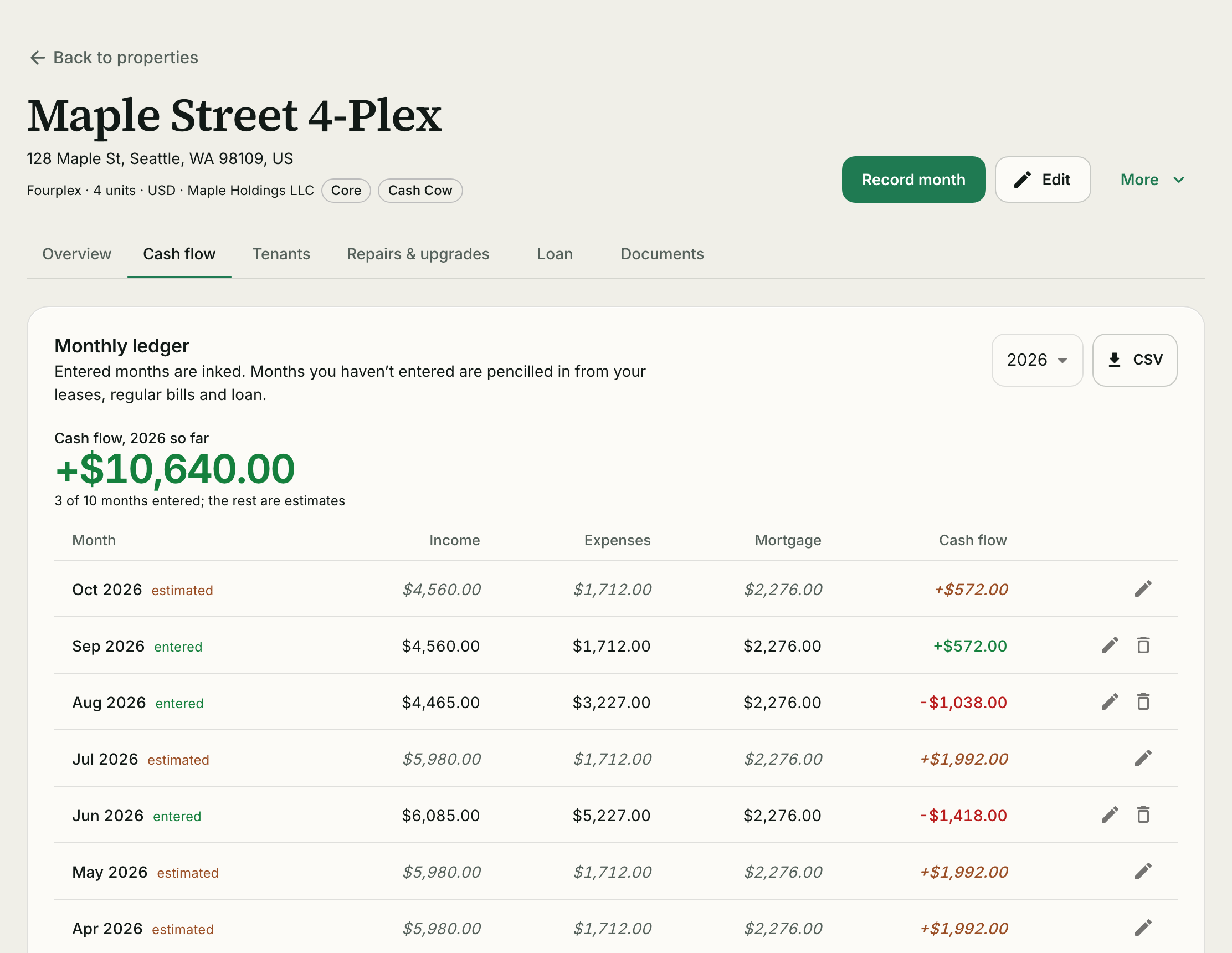
Every month adds up
See what each month kept, and which ones are still estimates. Entered months are inked; estimated ones are pencilled. Export the year as CSV.
- Income, expenses, mortgage and cash flow per month
- Year totals and months entered at a glance
- Clear a month back to an estimate if you entered it wrong
6 of 6
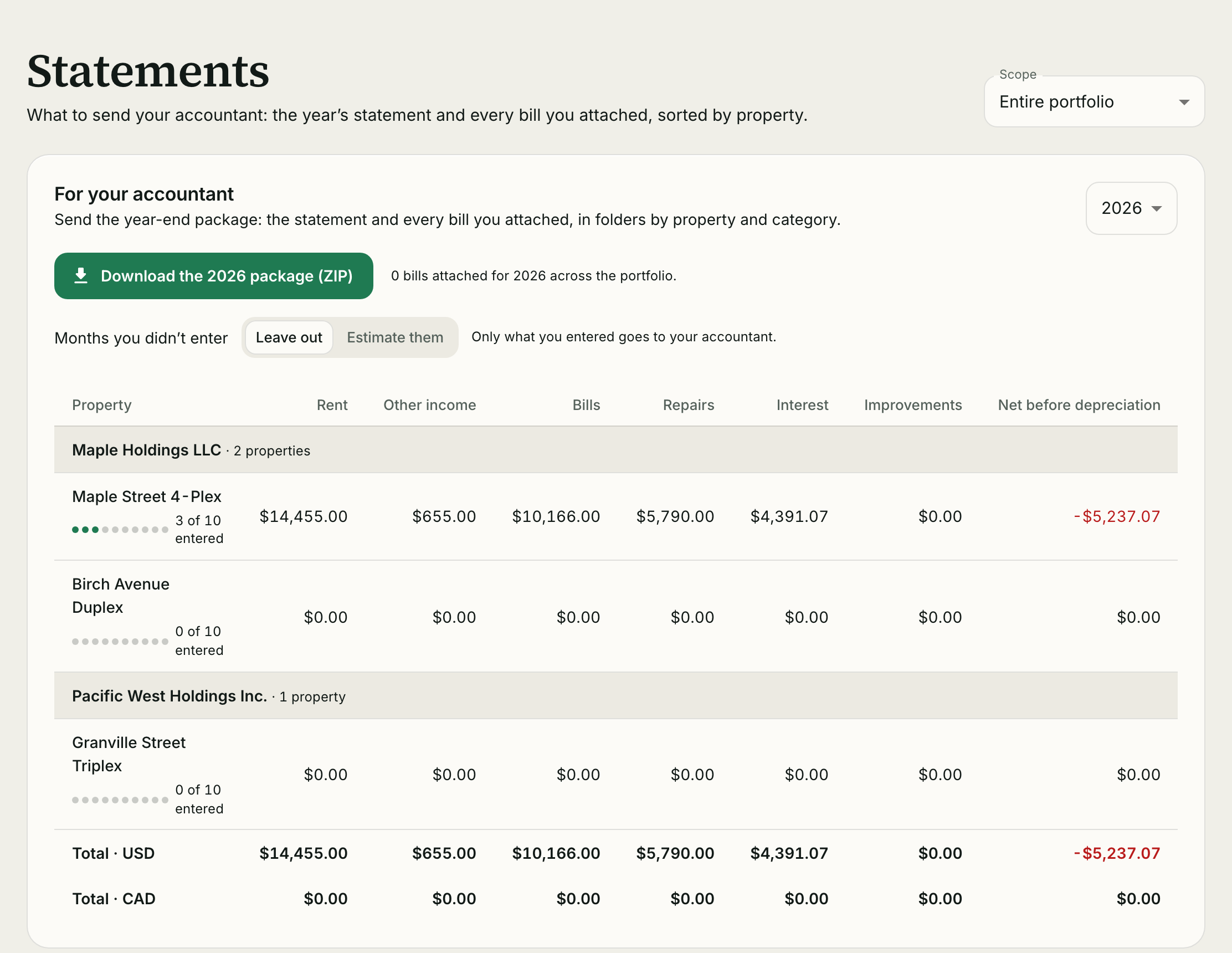
Year-end in one download
The year’s statement and every bill you attached, sorted by property and category. Choose whether estimated months are left out or included.
- Net before depreciation per property
- Expenses by category to line up with Schedule E or T776
- Mortgage interest estimated from the amortization
Start with one property.
Grow without changing systems. Every plan includes every feature.
Start free